SIR Form : BLO દ્વારા આપેલ ફોર્મ કેવી રીતે કરવું ?

SIR Form : BLO દ્વારા આપેલ ફોર્મ કેવી રીતે કરવું ? આ ફોર્મ ભરવાની પ્રક્રિયા ખૂબ જ સરળ છે.

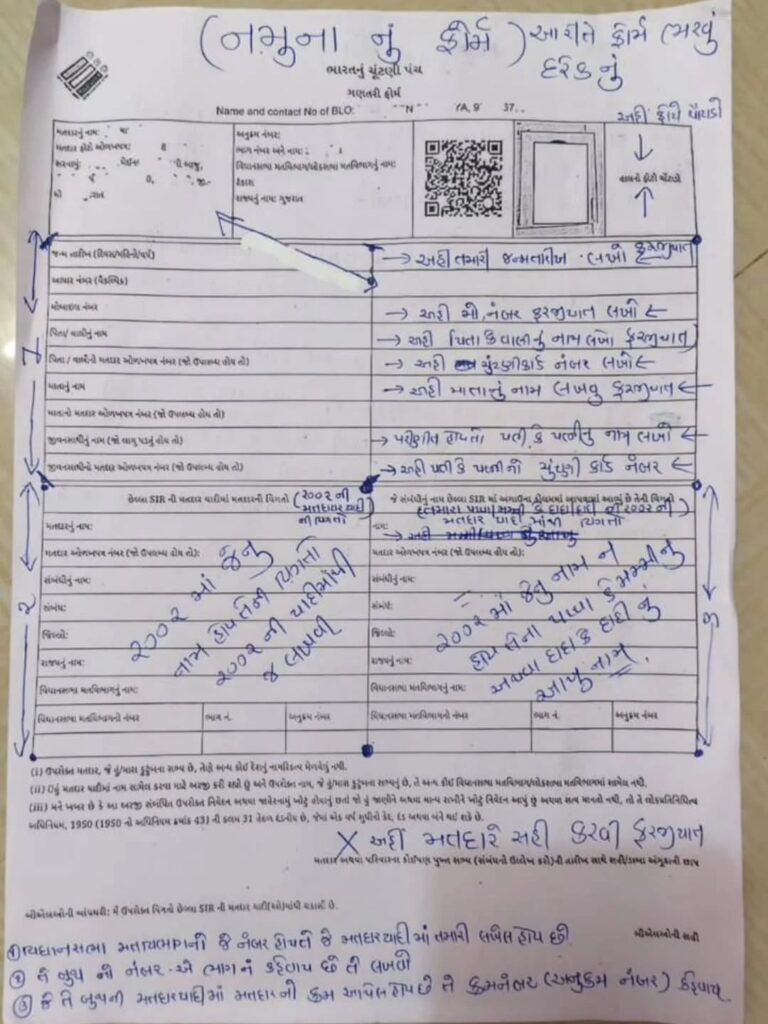
હાલમાં ગુજરાતમાં મતદાર યાદી સુધારણા કાર્યક્રમ (Special Intensive Revision – SIR) ચાલી રહ્યો છે, તેથી તમારા BLO જે ફોર્મ લઈને આવી રહ્યા છે તે મુખ્યત્વે ચકાસણી માટેનું “ગણતરી ફોર્મ” (Enumeration Form) હોઈ શકે છે.

SIR Form : BLO દ્વારા આપેલ ફોર્મ કેવી રીતે કરવું ?

આ ફોર્મ ભરવાની પ્રક્રિયા ખૂબ જ સરળ છે.

🔴SIR Enumaration ગણતરી ફોર્મ – BLO
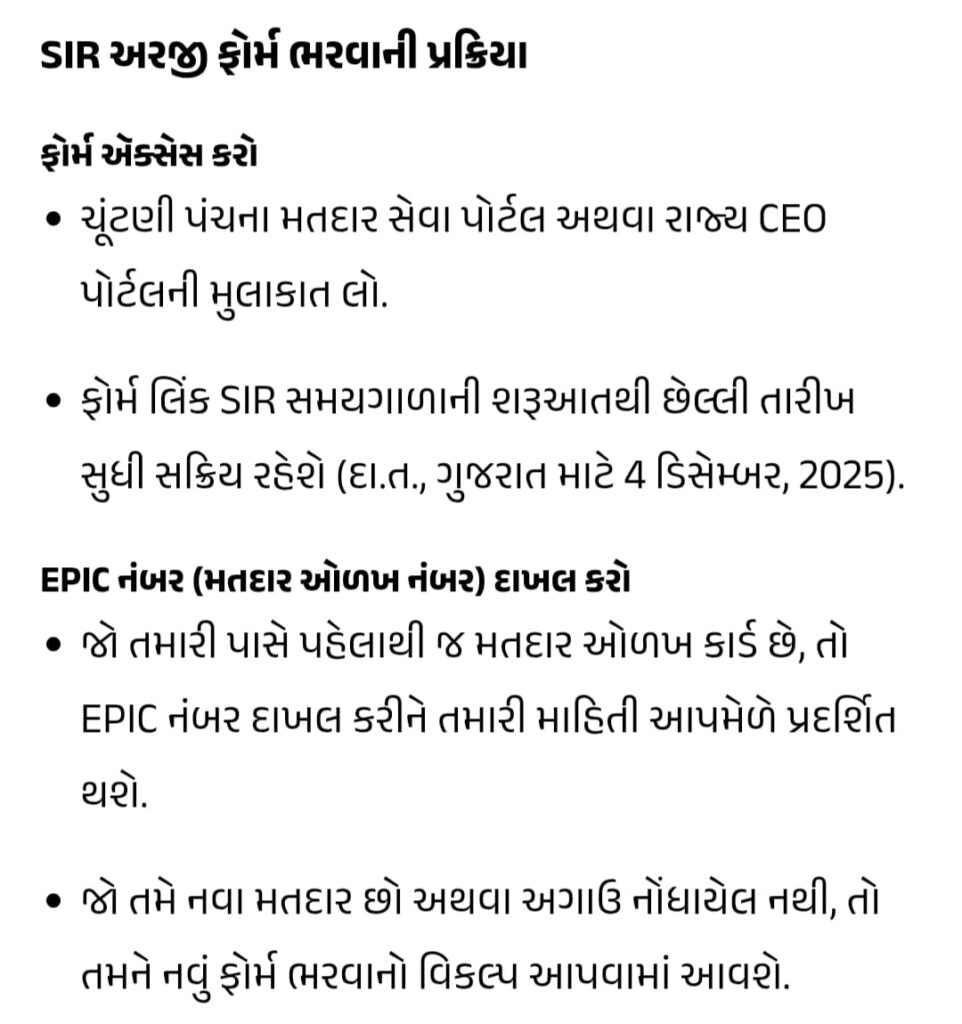
➡ચૂંટણીપંચ દ્વારા online પોર્ટલ
https://voters.eci.gov.in/login
➡આ લિંક પરથી દરેક નાગરિક પોતાનું મતદાર SIR Enumaration ફોર્મ જાતે online ભરી શકે છે.
તેમજ submit પણ કરી શકે છે.
આ માટે step by step કેમ ફોર્મ ભરવું તે માટે નીચેની link પણ ક્લિક કરો.
https://search.app/uwGyq
➡કોઈ પણ વ્યક્તિ પોતાનું કે પરિવારનું નામ 2002 ની યાદીમાં છે કે નહી તેમજ તેની તમામ વિગત સરળતાથી શોધી શકે તે માટે ચૂંટણીપંચ મારફત portal શરૂ કરવામાં આવ્યું છે. નીચેની link પરથી આપ 2002 ની યાદીમાં તમારું નામ સરળતાથી શોધી શકો છો.
https://chunavsetu-search.gujarat.gov.in/SIRSearch.aspx
➡2002 મતદારયાદી સર્ચ
https://erms.gujarat.gov.in/Search/SearchElectorDB.aspx
➡All Gujarat 2002 Matdaryadi pdf file
https://drive.google.com/drive/folders/1mK4kJa5DU4IBGehnYsvFtYSqhwinkKyv?usp=drive_link
SIR #ElectionCommission #SVEEP #ECI #CEOGujarat

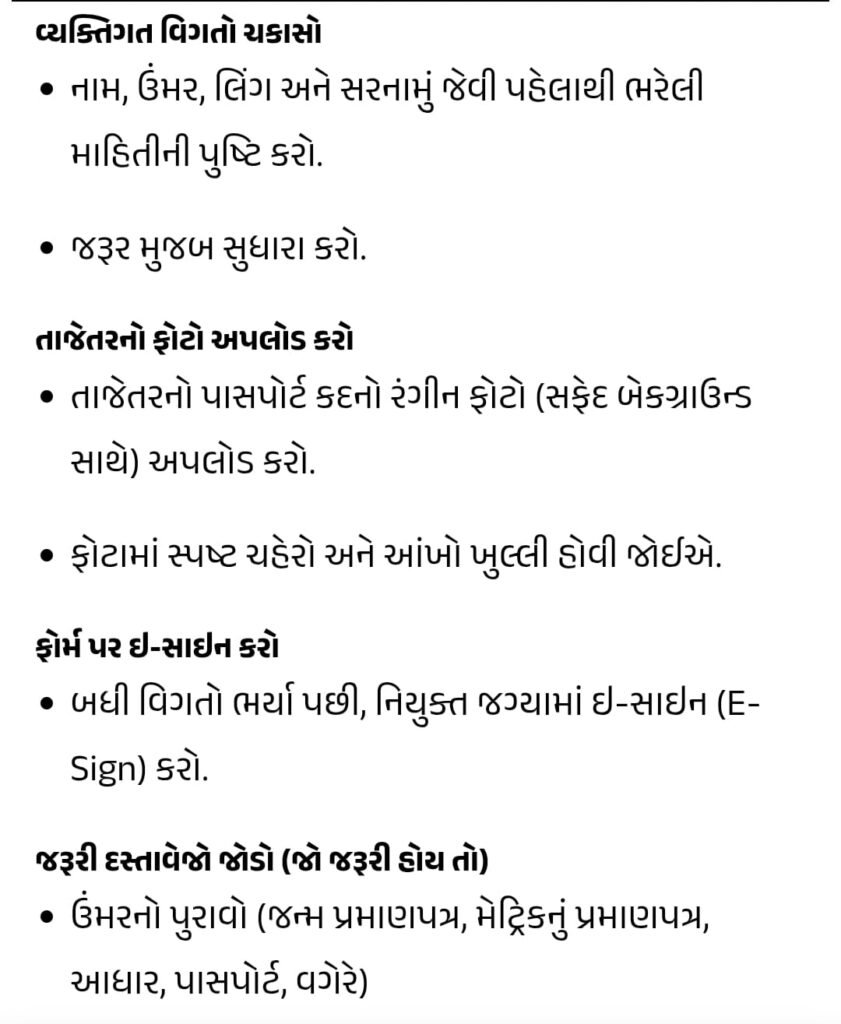
આ ફોર્મ અડધું ભરેલું (Pre-filled) હોઈ શકે છે, જેમાં તમારી જૂની વિગતો જેવી કે નામ, સરનામું, EPIC નંબર વગેરે હશે. તમારે નીચે મુજબ કરવાનું રહેશે:

વિગતોની ચકાસણી કરો: ફોર્મમાં છાપેલી તમારી બધી વિગતો (તમારું નામ, પિતા/પતિનું નામ, સરનામું, ઉંમર, જાતિ) બરાબર છે કે કેમ તે ચકાસી લો.
ખાલી વિગતો ભરો: જો ફોર્મમાં મોબાઈલ નંબર, જન્મ તારીખ, અથવા ઈમેલ આઈડી જેવી વિગતો માંગવામાં આવી હોય અને તે ખાલી હોય, તો તે પેનથી ભરી દો.
ફોટોગ્રાફ: જો ફોર્મ પર તમારો ફોટો ન હોય અથવા જૂનો હોય, તો BLO તમને નવો પાસપોર્ટ સાઇઝનો ફોટો ચોંટાડવા માટે કહી શકે છે.
સૌથી મહત્વપૂર્ણ: સહી કરો: ફોર્મમાં મતદારની સહી કરવાની જગ્યા પર તમારે અચૂક સહી કરવાની રહેશે. સહી વગરનું ફોર્મ માન્ય ગણાશે નહીં.
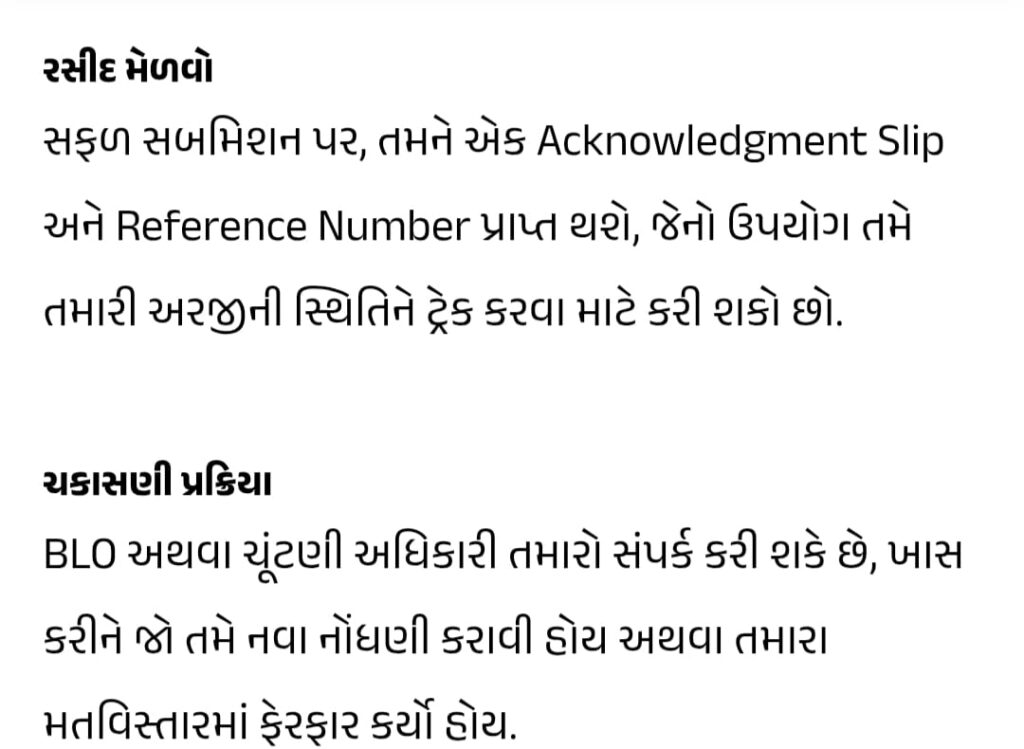
રસીદ (Acknowledgement): BLO આ ફોર્મ પર સહી-સિક્કો કરીને તમને તેની એક નકલ (અથવા ફાડીને રસીદ) પાછી આપશે, જે તમારે સાચવીને રાખવી. આ તમારો પુરાવો છે કે તમારી ચકાસણી થઈ ગઈ છે.

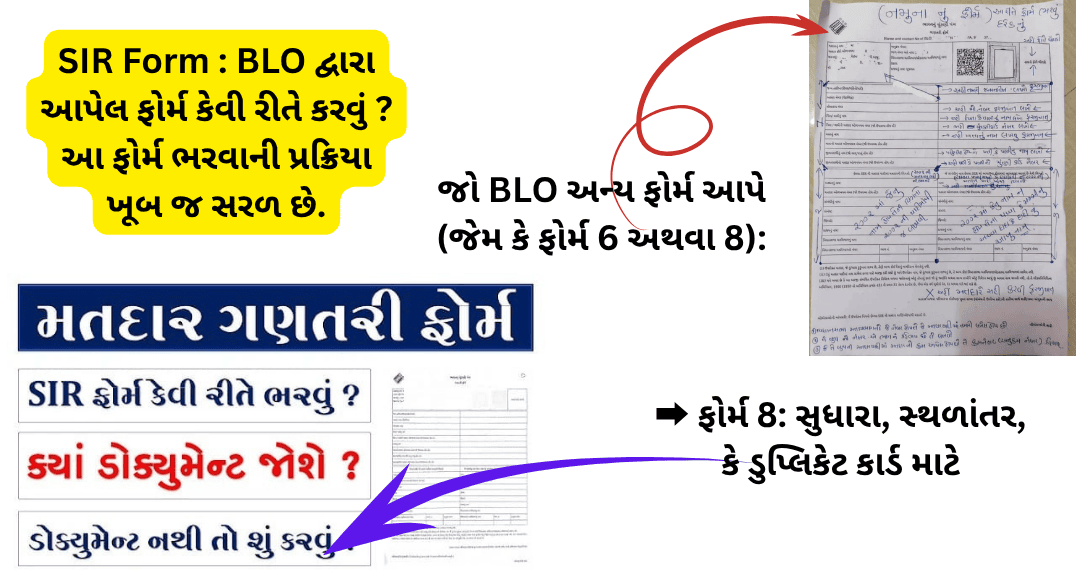
જો BLO અન્ય ફોર્મ આપે (જેમ કે ફોર્મ 6 અથવા 8):
જો તમારા ઘરમાં કોઈ નવો મતદાર (18 વર્ષ પૂર્ણ થયા હોય) હોય અથવા કોઈ વિગતમાં સુધારો કરવાનો હોય, તો BLO તમને ફોર્મ 6 અથવા ફોર્મ 8 આપી શકે છે.

કોણે ભરવું: જે વ્યક્તિ પહેલીવાર મતદાર બની રહી છે અથવા જેનું નામ યાદીમાં નથી.

કેવી રીતે ભરવું:

💡તમારું પૂરું નામ, સરનામું, જન્મ તારીખ, અને પિતા/પતિનું નામ લખો.

💡જન્મ તારીખના પુરાવાની નકલ (જેમ કે જન્મ પ્રમાણપત્ર, સ્કૂલ લિવિંગ સર્ટિફિકેટ, અથવા આધાર કાર્ડ) જોડવી પડશે.

💡સરનામાના પુરાવાની નકલ (જેમ કે આધાર કાર્ડ, લાઈટ બિલ, પાસપોર્ટ) જોડવી પડશે.

💡પાસપોર્ટ સાઇઝનો ફોટો ચોંટાડવો પડશે.

➡ ફોર્મ 8: સુધારા, સ્થળાંતર, કે ડુપ્લિકેટ કાર્ડ માટે

કોણે ભરવું: જો તમારે નામની જોડણી, સરનામું, જન્મતારીખ, ફોટો વગેરે સુધારવું હોય, અથવા ડુપ્લિકેટ ચૂંટણી કાર્ડ કઢાવવું હોય.

કેવી રીતે ભરવું:

  • તમારો EPIC (ચૂંટણી કાર્ડ) નંબર લખો.
  • તમારે જે વિગતમાં સુધારો કરવો છે (દા.ત., નામ), તેના પર ટિક કરો.
  • સાચી વિગત બાજુમાં આપેલી ખાલી જગ્યામાં લખો.
  • જો સુધારો સરનામાનો હોય, તો નવા સરનામાનો પુરાવો જોડવો પડશે.
  • જો સુધારો જન્મતારીખનો હોય, તો ઉંમરનો પુરાવો જોડવો પડશે.

2002 વિધાનસભાનું મતદાર યાદીમાં નામ જોવા આ ક્યુઆર કોડ સ્કેન કરો

મુખ્ય મુદ્દાઓ:

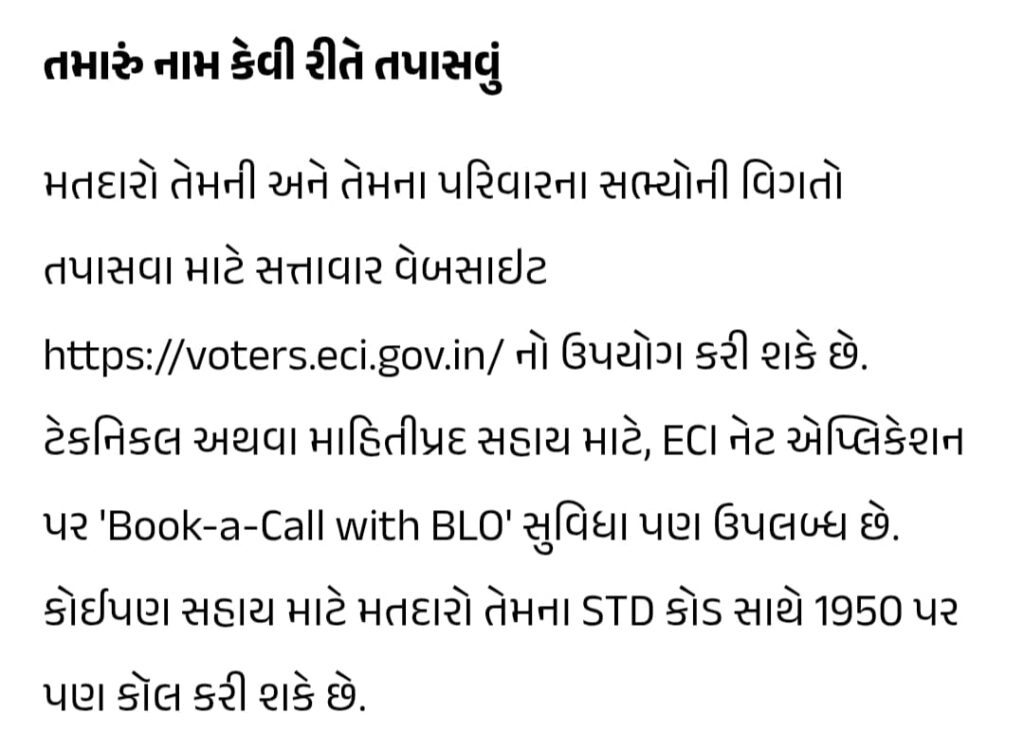
તમે આ જ બધી પ્રક્રિયા BLO ની રાહ જોયા વગર ઓનલાઈન પણ કરી શકો છો. આ માટે ચૂંટણી પંચની સત્તાવાર વેબસાઇટ Voters.eci.gov.in અથવા Voter Helpline App (VHA) નો ઉપયોગ કરી શકાય છે.

Note :
અમારા દ્વારા પુરી પાડવામાં આવતી માહિતી એ માત્ર અમારા નિઃસ્વાર્થ પણાના હેતુના આશયથી ઈન્ટરનેટ અને અન્ય માધ્યમ થકી માહિતી મેળવીને ફક્ત ને ફક્ત શૈક્ષણિક અર્થે લોકો સુધી પહોંચાડવાનો છે

આ આર્ટિકલ વાંચો:::;

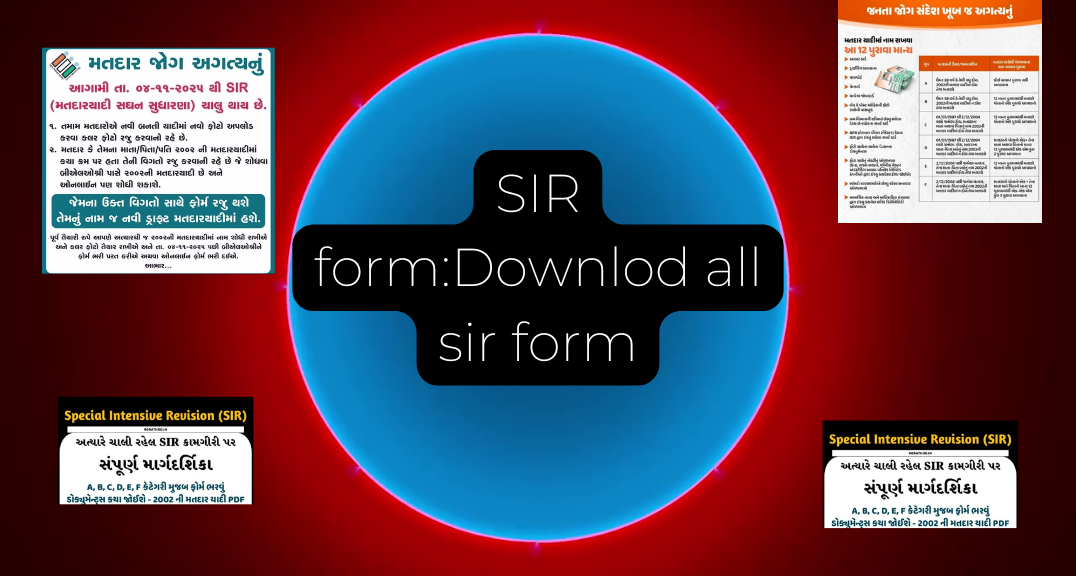
✅ View a completed sample of the SIR form:Downlod all sir form

SIR FORM GUJRAT : સ્પેશિયલ ઇન્ટેન્સિવ  રીવીઝન ફોર્મ કેવી રીતે ભરવું અને કયા દસ્તાવેજો જરૂરી છે ,અહીં બધું જ જાણો 

સ્વદેશી whatsapp મેડ in india arratai ગ્રુપમાં join માટે

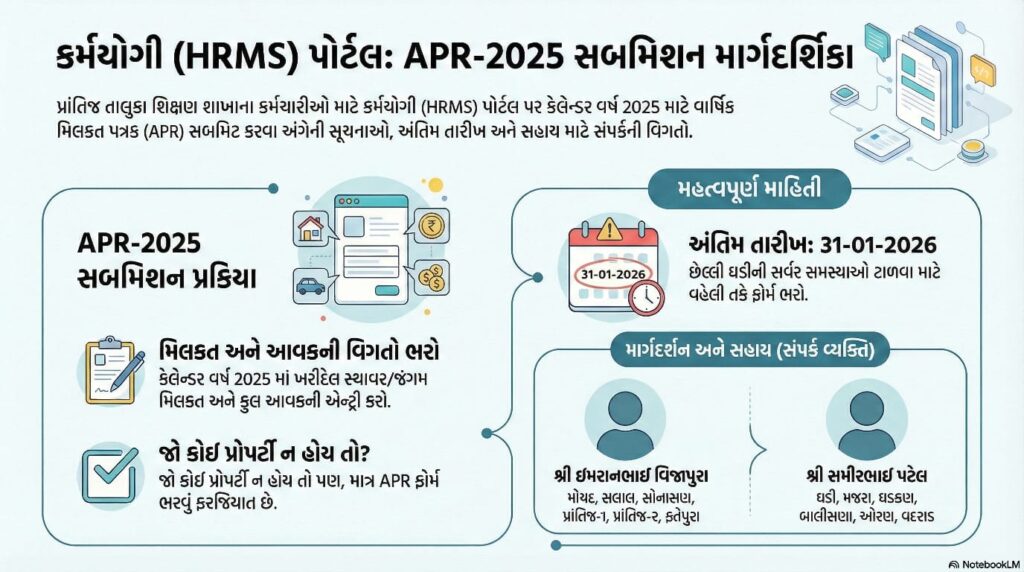
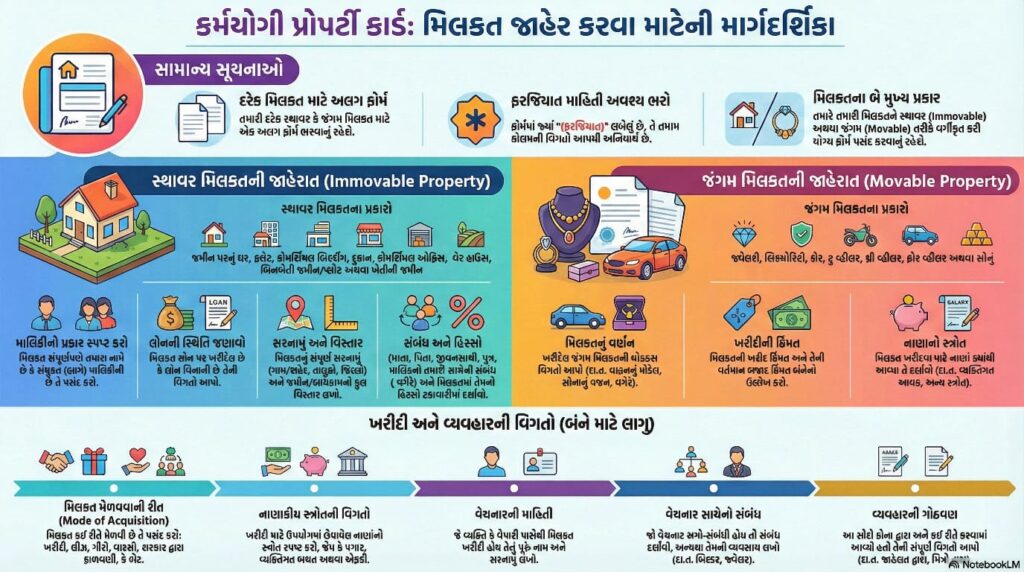
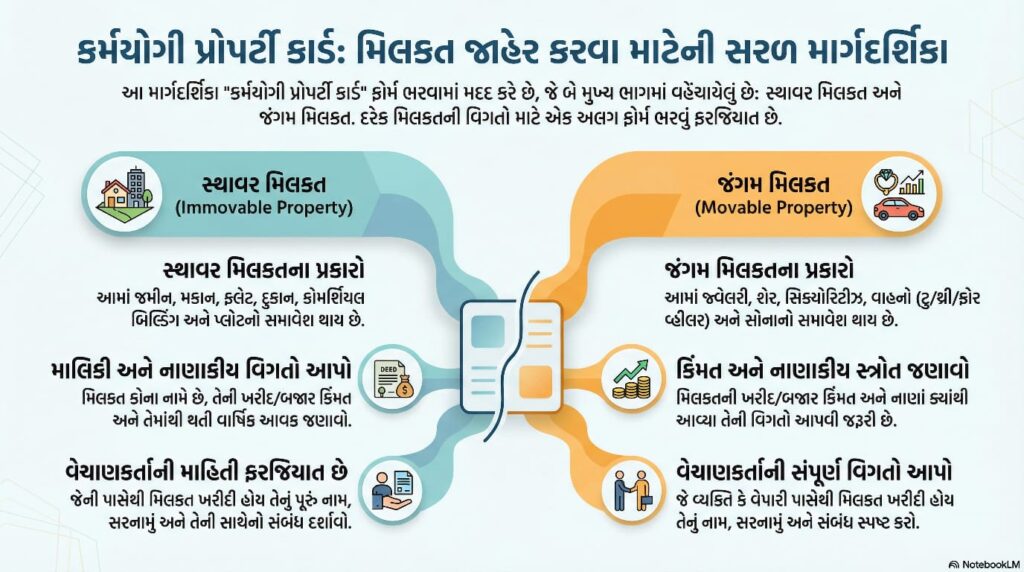
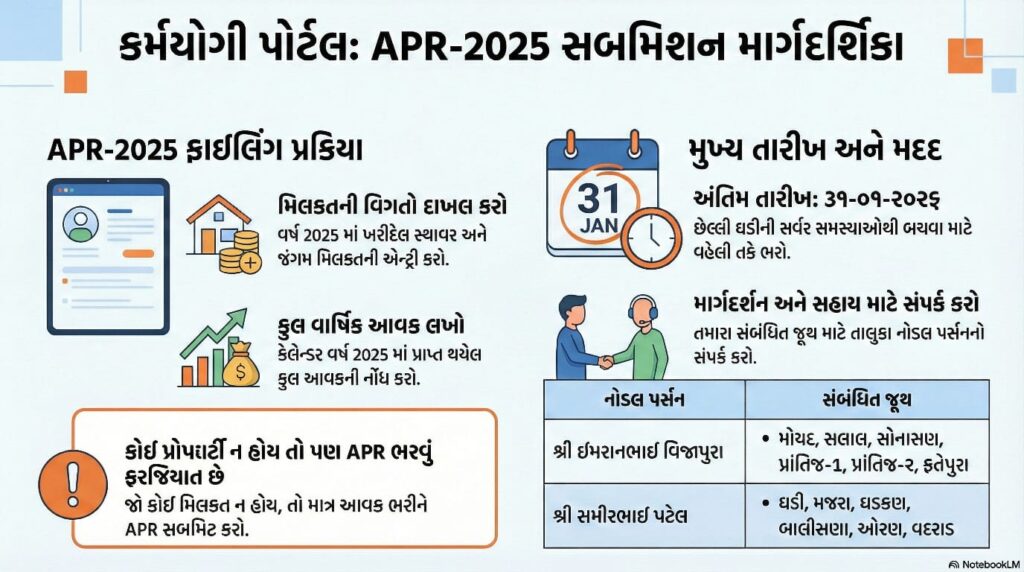
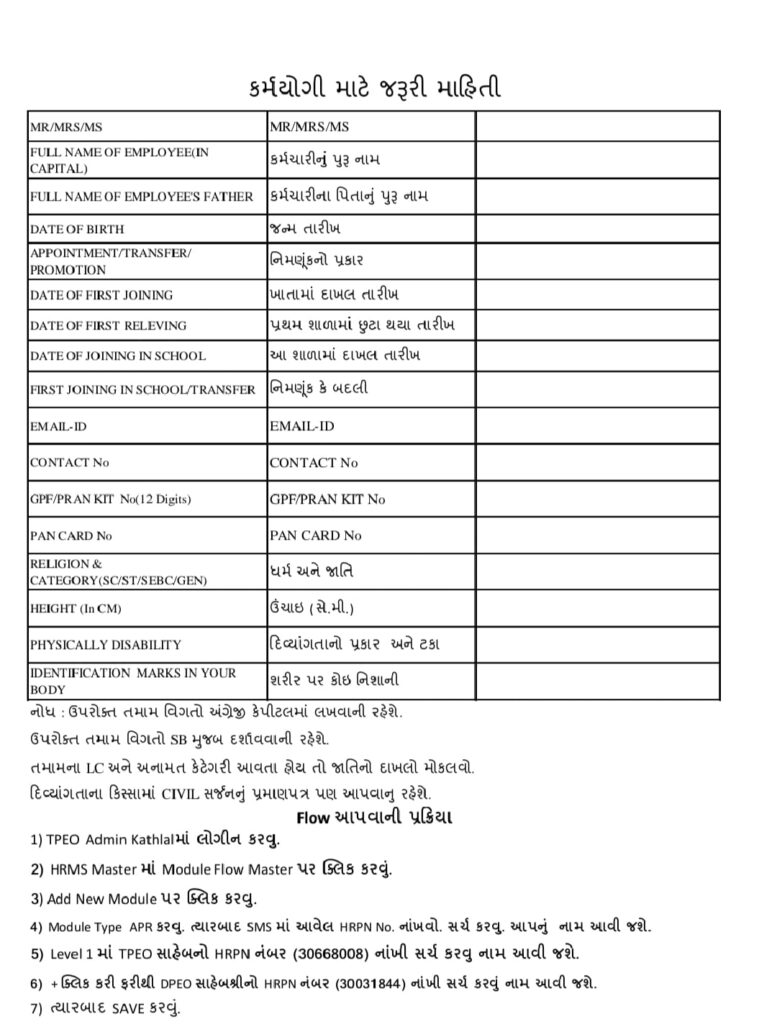
Karmayogi Registration Form Download and how to apply.

OPS Update 2025: સરકારે ફરી શરૂ કરી જૂની પેન્શન યોજના, કર્મચારીઓમાં આનંદની લહેર!

OPS Update 2025: સરકારે ફરી શરૂ કરી જૂની પેન્શન યોજના, કર્મચારીઓમાં આનંદની લહેર!

OPS Update 2025: સરકારએ આખરે જૂની પેન્શન યોજના (OPS) ફરીથી શરૂ કરવાની જાહેરાત કરી છે. આ સમાચાર સાંભળતાં જ દેશભરના લાખો સરકારી કર્મચારીઓમાં ખુશી અને રાહતનો માહોલ જોવા મળ્યો છે. ઘણા સમયથી કર્મચારીઓ સરકારને આ યોજના ફરી શરૂ કરવાની માગ કરી રહ્યા હતા અને હવે સરકારએ તેમની માંગ સ્વીકારી લીધી છે.

જૂની પેન્શન યોજના શું છે

🤰OPSમાં પેન્શન ગેરંટીવાળી હોય છે, એટલે કે નિવૃત્તિ પછી દર મહિને નિશ્ચિત રકમ મળે છે, જ્યારે NPS માર્કેટ પર આધારિત હોવાથી તેમાં જોખમ રહે છે.

સરકારનો નવો નિર્ણય શું છે

OPS Update 2025- નાણા મંત્રાલયના જણાવ્યા મુજબ, સરકારે OPSને પહેલા રાજ્ય સરકારના કર્મચારીઓ માટે ફરી શરૂ કરવાનો નિર્ણય લીધો છે. પછી આ યોજનાને કેન્દ્ર સરકારના કર્મચારીઓ માટે પણ લાગુ કરવામાં આવશે.

1 જાન્યુઆરી 2026થી OPSના નવા નિયમો અમલમાં આવશે. જેઓ કર્મચારી પાત્ર છે, તેઓને OPSમાં જોડાવાનો વિકલ્પ મળશે.

OPS હેઠળ કેટલી પેન્શન મળશે

જૂની પેન્શન યોજના હેઠળ પેન્શનની ગણતરી નીચે મુજબ થાય છે: પેન્શન = (છેલ્લા 10 મહિનાનું સરેરાશ પગાર × સેવા વર્ષ) ÷ 60 ઉદાહરણ તરીકે, જો કોઈ કર્મચારીનું છેલ્લું પગાર ₹60,000 છે અને તેણે 30 વર્ષ સેવા આપી છે, તો તેને દર મહિને આશરે ₹30,000 પેન્શન મળશે. આ પેન્શન પર સમયાંતરે DA (Dearness Allowance)નો વધારો પણ લાગુ થશે.

કર્મચારીઓની ખુશી

સરકારના આ નિર્ણય બાદ કર્મચારી સંઘોમાં ઉલ્લાસનું વાતાવરણ છે. રાજસ્થાન, છત્તીસગઢ, પંજાબ અને હિમાચલ પ્રદેશ જેવા રાજ્યો પહેલેથી OPS અમલમાં લાવી ચૂક્યા છે. હવે કેન્દ્ર સરકારના સ્તરે પણ OPS લાગુ થતાં રાષ્ટ્રીય સ્તરે પેન્શન પુનઃસ્થાપનનો માર્ગ ખુલ્લો થઈ ગયો છે.

NPS અને OPSમાં તફાવત

  • OPS હેઠળ નિવૃત્તિ બાદ નિશ્ચિત રકમની પેન્શન મળે છે. NPSમાં રોકાણ માર્કેટ પર આધારિત હોવાથી રિટર્ન ગેરંટીવાળું નથી.
  • OPSમાં PF યોગદાન આપવાની જરૂર નથી, જ્યારે NPSમાં ફરજિયાત છે. OPS હેઠળ પેન્શન પર DA આપમેળે વધારવામાં આવે છે, જેનાથી આવક સતત વધી શકે છે.

સરકારએ OPS લાગુ કરવાની તૈયારી શરૂ કરી દીધી છે. નાણા મંત્રાલયે દરેક વિભાગને પાત્ર કર્મચારીઓની યાદી તૈયાર કરવા કહ્યું છે. આ યોજના બજેટ 2025 પહેલાં અમલમાં આવી શકે છે જેથી લાભાર્થી કર્મચારીઓને નવી પેન્શન સિસ્ટમમાં જોડાઈ શકે.

નિષ્કર્ષ: OPSની વાપસી એ લાખો સરકારી કર્મચારીઓ માટે મોટી ખુશખબરી છે. આ યોજના હેઠળ કર્મચારીઓને જીવનભર માટે નિશ્ચિત આવક મળશે. સરકારની આ પહેલ કર્મચારીઓમાં વિશ્વાસ વધારશે અને નિવૃત્તિ પછી આર્થિક સુરક્ષા પૂરી પાડશે.

Kendriya Vidyalaya Sangathan KVS Recruitment 2025: आवेदन प्रक्रिया, चयन, और महत्वपूर्ण तिथियां

સ્વદેશી whatsapp મેડ in india arratai ગ્રુપમાં join માટે

8માં પગાર પંચનો મોટો વિવાદ: 69 લાખ પેન્શનર્સને બહાર રાખતા ઉઠ્યો તોફાન

8માં પગાર પંચનો મોટો વિવાદ: 69 લાખ પેન્શનર્સને બહાર રાખતા ઉઠ્યો તોફાન

8th Pay Commission 2025: સરકારના આઠમા પગાર પંચ (8th Pay Commission)ને લઈને નવા વિવાદે તીવ્ર સ્વરૂપ ધારણ કર્યું છે. તાજેતરમાં બહાર આવેલી ટર્મ્સ ઑફ રેફરન્સ (Terms of Reference) અનુસાર લગભગ 69 લાખ પેન્શનર્સ અને ફેમિલી પેન્શનર્સને આ પંચની હદમાંથી બહાર રાખવામાં આવ્યા છે. આ નિર્ણયથી સરકારના નિવૃત કર્મચારીઓ અને વિવિધ કર્મચારી સંઘોમાં ભારે અસંતોષ જોવા મળી રહ્યો છે.

🌲 નવોદય એડમિટ કાર્ડ (હોલ ટિકિટ)ડાઉનલોડ કરવા માટે લિંક

69 લાખ પેન્શનર્સ માટે નિરાશાજનક નિર્ણય

AIDEFની ચાર મુખ્ય માંગણીઓ

ફેડરેશને સરકાર સમક્ષ ચાર સ્પષ્ટ માંગણીઓ મૂકી છે –

  1. પેન્શનર્સ અને ફેમિલી પેન્શનર્સને 8મા પગાર પંચમાં સામેલ કરવામાં આવે.
  2. નવું પગાર અને પેન્શન માળખું 1 જાન્યુઆરી, 2026થી અમલમાં આવે.
  3. કમ્યુટેડ પેન્શનની મુદત 15 વર્ષથી ઘટાડી 11 વર્ષ કરવામાં આવે.
  4. દર પાંચ વર્ષે પેન્શનમાં 5 ટકાનો નિયમિત વધારો કરવામાં આવે.

🌲 નવોદય એડમિટ કાર્ડ (હોલ ટિકિટ)ડાઉનલોડ કરવા માટે લિંક

🌲 નવોદય એડમિટ કાર્ડ (હોલ ટિકિટ)ડાઉનલોડ કરવા માટે લિંક

✅ View a completed sample of the SIR form:Downlod all sir form

✅ View a completed sample of the SIR form:Downlod all sir form

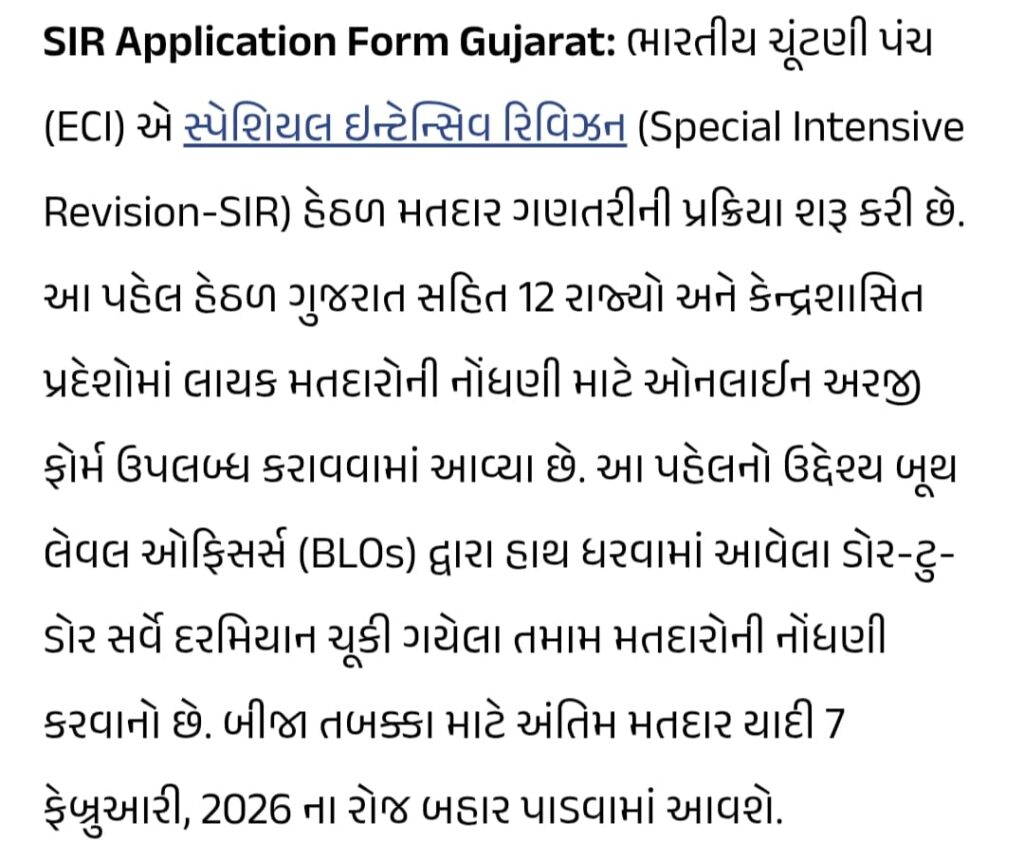
Blo ભારતના ચૂંટણી પંચે 12 રાજ્યોમાં SIR કામગીરી ચાલુ કરી છે. આપણે અહીંયા ગુજરાતના તમામ ફોર્મ ની વિગતો મેળવીશું.

SIR શું છે? (સંક્ષિપ્ત પરિચય)

SIR નો અર્થ છે Special Intensive Revision — મતદાર-યાદી (electoral roll) નું એક વિશેષ અને ઘનતાપ્રધાન સમીક્ષા અભિયાન. તેનો ઉદ્દેશ voter’s list ને જથ્થાબંધ અને સચોટ બનાવવો છે — અકથિત ડુપ્લિકેટ્સ દૂર કરવા, અજ્ઞાત રહેલા અથવા નાગરિકતાના અર્થમાં સાથે સંબંધિત ભૂલો સુધારવા અને નવા પંખાબજારો (migrants, new voters) નું પ્રમાણિત સમાવેશ કરવાં.

કેમ SIR ચાલે છે? (મોટા કારણો)

. 💡મહત્વની ચૂંટણી કે પ્રિ-પોલ તયારી પહેલા મતદાર-યાદી અપડેટ કરવાની આવશ્યકતા.
. 💡શહેરીકરણ, માઈગ્રેશન, અને નામ/જન્મતારીખ જેવા ગ્રાહી ડેટામાં થયેલા ફેરફારોને સુધારવાં માટે.
. 💡જાહેર સત્તાવાળાઓ દ્વારા પારદર્શિતા અને પ્રમાણભૂત વર્તનની ગેરંટી માટે.

હાલમાં ક્યારે અને કેવી રીતે ચાલે છે? (તારીખો અને પ્રક્રિયા)

Election Commission ની આ વધુ તાજી વ્યવસ્થા મુજબ SIRનું ચીહ્નિત આદેશ 27 ઑક્ટોબર, 2025 ના ઓર્ડર હેઠળ કઈંક રાજ્ય/યુટીમાં લાગુ કરાયું છે અને Enumeration Formsનું વિતરણ 4 નવેમ્બર 2025 ના આસપાસથી શરૂ થયું. BLOs (Booth Level Officers) ઘરેથી ઘરેબે જઈને ફોર્મ આપશે અને ડેટાેલીકરણ સંકલન કરવામાં આવશે. ડ્રાફ્ટ રોલ જાહેર કરાશે અને બાદમાં આધારે જ અહેવાલ/ઓબ્જેક્શન્સ માટે સમય આપવામાં આવશે.

SIR પ્રક્રિયા — પગલું દર પગલું

 📜અધિનિયમથી જાહેર કરવું: ઇલેક્ટોરલ સૂચનાઓ તથા થિયેટર સેટિંગનો ઑર્ડર જારી થાય છે.
 📜Enumeration Formsનું વિતરણ: BLO ઘરે-ઘરે જઈને ફોર્મ આપે છે અને નાગરિકોને પોતાની વિગતો ચકાસવા કહે છે.
 📜ડraft રોલ તૈયાર અને જાહેર: જે લોકો ફોર્મ આપશે, તેમની વિગતો ડ્રાફ્ટ રોલમાં આવશે; તેની પછી જાહેર તપાસ માટે સમય મળશે.
 📜ઓબ્જેક્શન અને સુધારણા સમય: જો કોઇની વિગતો ખૂટે અથવા ભૂલ હોય તો સૂચિત પ્રક્રિયાથી ઘટાડો/સુધારણા કરી શકાય છે.
 📜Finalization: તમામ ચકાસણીઓ બાદ, અંતિમ મતદાર યાદી જાહેર થાય છે અને તે તારીખથી લાગુ રહેશે.

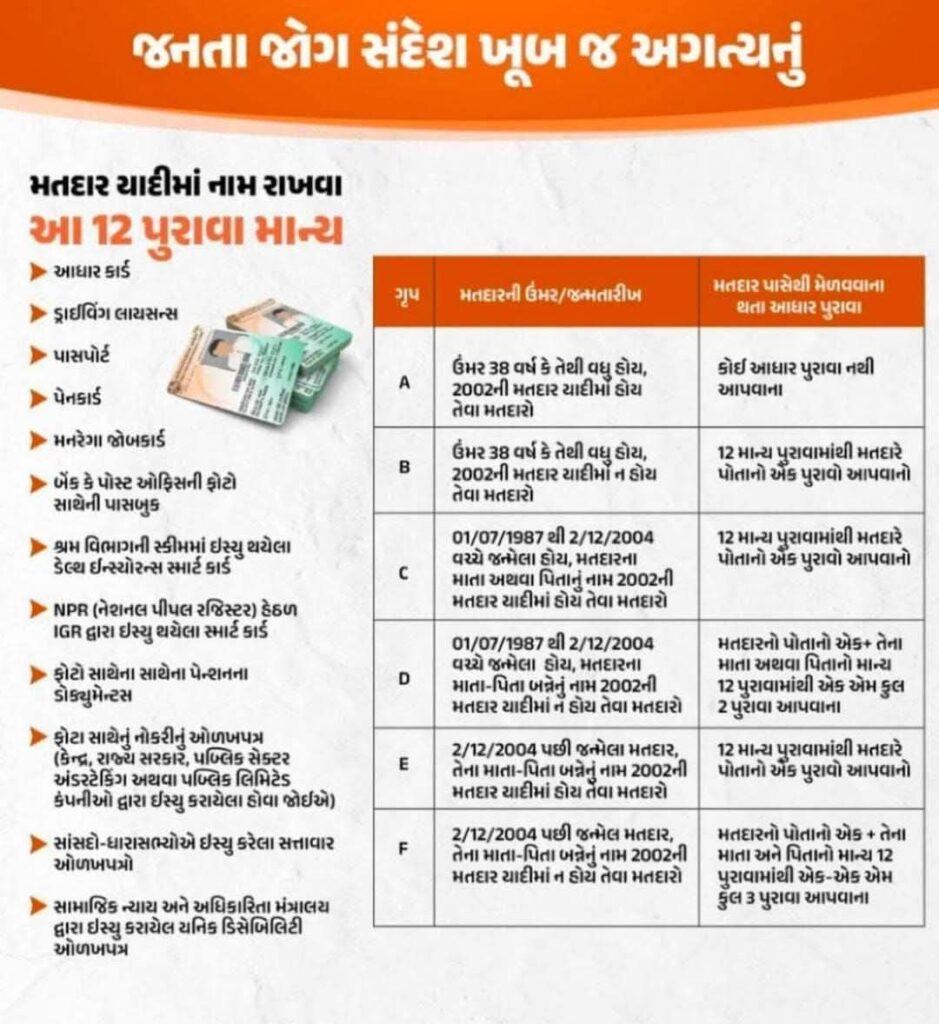
નાગરિકો માટે જરૂરી દસ્તાવેજોની ચેકલિસ્ટ

જોકે પ્રદેશ પ્રમાણે ફરક હોઈ શકે છે, સામાન્ય રીતે નીચેના દસ્તાવેજ ઉપયોગી અથવા જરૂરી હોઈ શકે છે:

what to expect at your door-step (BLO મુલાકાત)

  1. BLO ઘરે આવીને Enumeration Form આપશે અને તમારી ઓળખની પુષ્ટિ માંગશે.
  2. આ પ્રક્રિયામાં તમને દસ્તાવેજ બતાવવા અને ફોર્મ ભરી આપવા કહેવામાં આવશે.
  3. જવદીજથી મેસેજ અથવા SMS દ્વારા માહિતી આપવામાં આવી શકે છે — તમારો રજીસ્ટર્ડ મોબાઇલ નંબર યોગ્ય રીતે EPIC સાથે જોડાયેલો હોવો જોઈએ.
  4. સ્થાનિક બનોવાયો અથવા વોલન્ટિયર્સની મદદ માટે કેટલીક નગર શકિતોએ દરેક અસેમ્બ્લી સ્ટીટી માટે વોલેન્ટિયર્સ સૂચવ્યા છે — ઉદાહરણ તરીકે, અમદાવાદમાં પ્રત્યેક વિધાનસભા પર ~20 વોલન્ટિયર્સને નિમણૂક કરવામાં આવી છે.

સામાન્ય સમસ્યાઓ અને ઉકેલ — ટિપ્સ

મોબાઇલ/ઓનલાઈન સમસ્યાઓ: જો ઈ-સબમિશન અથવા વેબપોર્ટલમાં તકલીફ હોય તો નજીકના BLO કચેરી અથવા HelpLine પર સંપર્ક કરો (ECI સંપર્ક સુચિત પ્લેટફોર્મ).
દસ્તાવેજ ન હોય તો: સ્થળિય વિદ્યાપીઠ/પોલીસ/મ્યુનિસિપલ અહીંથી જે પ્રમાણપત્ર મળે તે એક વિકલ્પ બની શકે છે — સ્થાનિક પ્રોસિજર તપાસો.
જાણો ક્યાં તમારું નામ છે: ECIના ઓનલાઈન પોર્ટલ પર EPIC નંબર/હોલ્ડિંગ નંબરથી તપાસો.

SIR અંગે ધોરણ અને આક્ષેપો

SIR એક વિસ્તૃત રેવિઝન છે અને તેની અસર અંગે ચર્ચા અને વિરોધ પણ થયા છે — કેટલાક સમુદાયો અને પક્ષોએ દાવા કર્યા છે કે દસ્તાવેજી માગણીઓથી નબળા વર્ગનાં લોકોને મુશ્કેલી હોઈ શકે છે. સરકારી સત્તાવાર નોટિસો અને પ્રેસ રૂમ દ્વારા સમયને અનુસાર સમાધાન/સપોર્ટ આપવામાં આવ્યો છે.

મહત્વપૂર્ણ અનુકરણ અને સંપર્ક

જાહેર અને પુરાવા સ્ત્રોતો તપાસવા માટે:

  • election Commission / Voters portal — voters.eci.gov.in પર ચેક કરો.
  • સ્થાનિક CEO/DEO ની વેબસાઇટ અને પ્રકાશિત સૂચનાઓ તપાસો (જિલ્લા-બ્લોકનું અપડેટ વિવિધ હોઈ શકે).
  • જરૂરી મદદ માટે હેલ્પલાઈન અને BLO સંપર્કનો ઉપયોગ કરો; દિલ્હી CEO પેજ અને જાહેર નોટિસમાં માર્ગદર્શિકા ઉપલબ્ધ છે.

Important Links 🖇

Purpose Link FoDownload
✅ SIR ફોર્મ ભરેલા નમૂના જોવા માટે (બધા જ નમૂના)ડાઉનલોડ કરો
✅ SIR ફોર્મ ભરવા માટેનો પરફેક્ટ નમૂનો ABCDEF મુજબ તમામડાઉનલોડ કરો
✅ ચૂંટણીકાર્ડ નંબર દ્વારા 2002 ની મતદાર યાદીમાં તમારું નામ શોધવા માટેડાઉનલોડ કરો
✅ નામ સાથે PART WISE ( ભાગ મુજબ) સમગ્ર ગુજરાત ના દરેક બુથ ની 2002 ની મતદાર યાદીડાઉનલોડ કરો

Mudda Ni Vaat LIVE: સમગ્ર ગુજરાતમાં શિક્ષકોનો ઉગ્ર વિરોધ, રાજ્યભરમાં ઉઠ્યા પ્રચંડ વિરોધના સૂર

SIR FORM GUJRAT : સ્પેશિયલ ઇન્ટેન્સિવ  રીવીઝન ફોર્મ કેવી રીતે ભરવું અને કયા દસ્તાવેજો જરૂરી છે ,અહીં બધું જ જાણો 

https://www.gujaratfirst.com/videos/teachers-protest-amid-election-commissions-sir-process/250296

SIR FORM GUJRAT : સ્પેશિયલ ઇન્ટેન્સિવ  રીવીઝન ફોર્મ કેવી રીતે ભરવું અને કયા દસ્તાવેજો જરૂરી છે ,અહીં બધું જ જાણો 

17/02/2026 ના રોજ પ્રસિદ્ધ થયેલ મતદાર યાદી ડાઉનલોડ કરવા માટે ઉપરોક્ત લિન્ક પર ક્લિક કરો

https://voters.eci.gov.in/download-erollhttps://voters.eci.gov.in/download-eroll

SIR નો અર્થ છે Special Intensive Revision — મતદાર-યાદી (electoral roll) નું એક વિશેષ અને ઘનતાપ્રધાન સમીક્ષા અભિયાન. તેનો ઉદ્દેશ voter’s list ને જથ્થાબંધ અને સચોટ બનાવવો છે — અકથિત ડુપ્લિકેટ્સ દૂર કરવા, અજ્ઞાત રહેલા અથવા નાગરિકતાના અર્થમાં સાથે સંબંધિત ભૂલો સુધારવા અને નવા પંખાબજારો (migrants, new voters) નું પ્રમાણિત સમાવેશ કરવાં.

ફોર્મ ભરવાની તૈયારી (Before you start)

  • જરૂરી દસ્તાવેજો એક જગ્યાએ રાખો: આધાર કાર્ડ, સ્કૂલસરટિફિકેટ/પ્રમાણપત્ર, જન્મતારીખ સર્ટિફિકેટ, પાસપોર્ટ સાઇઝ ફોટો, સહીનું સ્કેન/ફોટો, રિલેવન્ટ પ્રમાણપત્રો.
  • જરૂરી માહિતી એકનોટ કરી લો: પૂરું નામ (જેમ આધારમાં), પિતાનું નામ, જન્મતારીખ (DD/MM/YYYY), મોબાઇલ નંબર, ઈમેલ, ઠરાવેલું સરનામું, વિષય/ક્લાસ/કેટેગરી વગેરે.
  • જો ફાઈલ અપલોડ કરવી હોય તો: JPG/PNG/PDF ફોર્મેટમાં પ્લાન રાખો અને ફાઇલ સાઈઝ ચેક કરો (મોટા ફાઇલ -> સ્કેન કરતી વખતે 150–300 KB સુધી રાખવાનો પ્રયાસ).
  • પેન/કાળી ઈંક અને બ્લેન્ક કાગળ (હેન્ડફિલ્ડ ફોર્મ માટે) તૈયાર રાખો.

પગલાંવાર માર્ગદર્શન (Step-by-step)

1) ફોર્મ ખોલો અને મૂળ માહીતી વાંચો

  • -Title, બાકી તારીખો અને માર્ગદર્શિકા જુઓ.
  • -જરૂરી કેન્દ્રો/શ્રેણી/ શરતો (eligibility) જોઈ લો.

2) વ્યક્તિગત માહિતી સાચી રીતે ભરો

  • Whole name: અગાઉ જ તૈયાર થયા પ્રમાણે લખો (aadhaar માં જે રીતે હોય તે જ).
  • Father/Guardian name, Date of birth: day/month/year ફોર્મેટ જે છે તે જ ઉપયોગ કરો.
  • Gender, Category (General / OBC / SC / ST) — જો કાગળ/ડોક્યુમેંટ માંગતા હોય તો તેની કૉપિ રાખો.

3) સંપર્ક (Contact) વિગતો દાખલ કરો

  • Mobile number અને Email ID — સાચા લખો અને સાબિત કરવા માટે OTP મોડ્યુલ હોય ગમે તો મોબાઈલ હાથમાં રાખો.
  • મહત્વનું: જો વેબફોર્મ છે તો વાહિત (alternate) ફોન/ઈમેઇલ આપો.

4) સરનામું અને શૈક્ષણિક વિગતો ભરો

  • Permanent અને Correspondence address અલગ હોય તો બંને ભરો.

6) દસ્તાવેજ અપલોડ કરો (જ્યારે માંગવામાં હોય)

  • Required files: passport photo, signature, school certificate, aadhaar copy, age proof.
  • ફાઇલને એકદમ પ્રમાણે નામ આપો (eg. NAME_AADHAAR.pdf).
  • ફાઇલ ફોર્મેટ (jpg/png/pdf) અને માપૅ લિમિટ ચેક કરી લો.
  • જો સ્કેન નથી તો મોibile scanner apps વડે high-quality JPG/PDF બનાવો અને cropping/rotation અને readability ચેક કરો.

ALSO READ :: NMMS Best Practis Book Nmms Exam Gujrati pdf Downlod

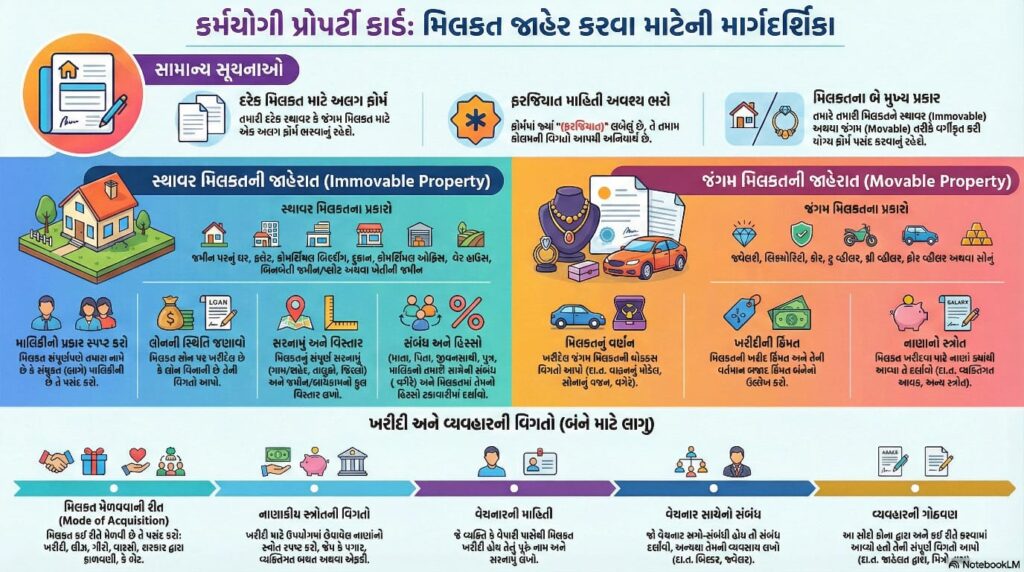
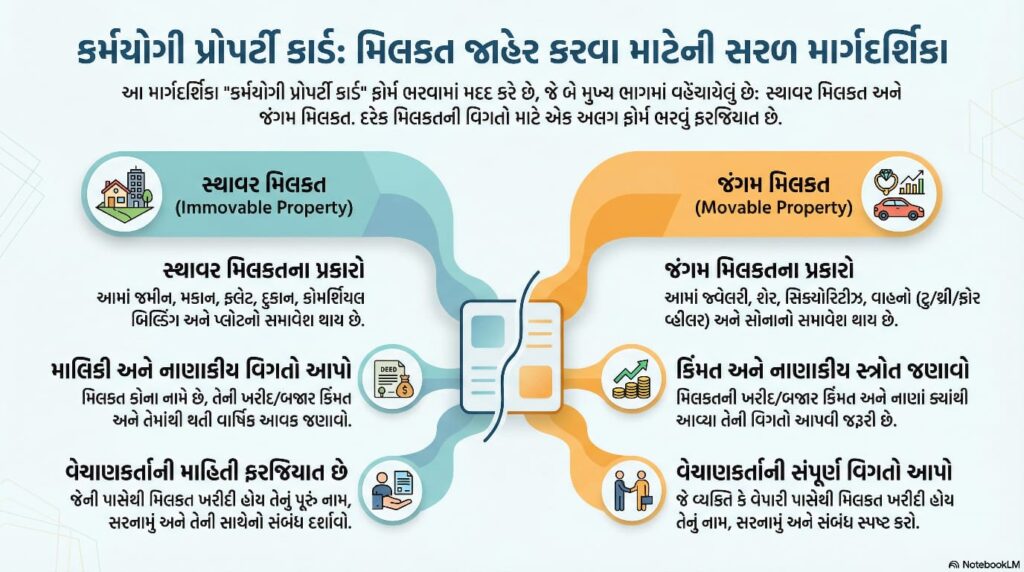
Karmayogi Registration Form Download and how to apply.

Karmayogi Registration Form Download and how to apply.
Karmayogi is a national capacity-building initiative launched to enhance the skills, efficiency, and professionalism of government employees and public service learners. The aim of the Karmayogi platform is to create a future-ready, responsible, and service-oriented workforce that can meet the needs of citizens effectively.
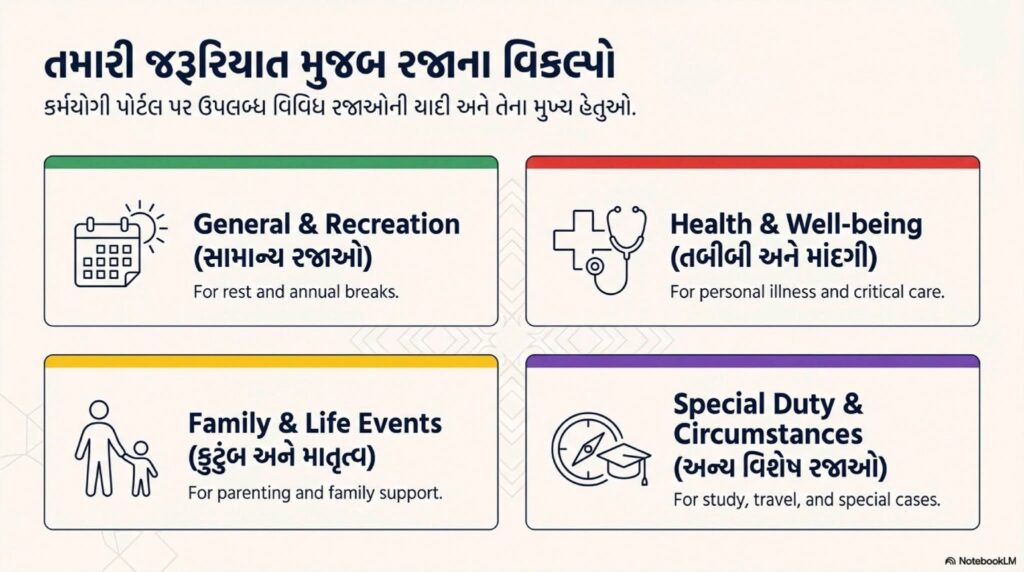
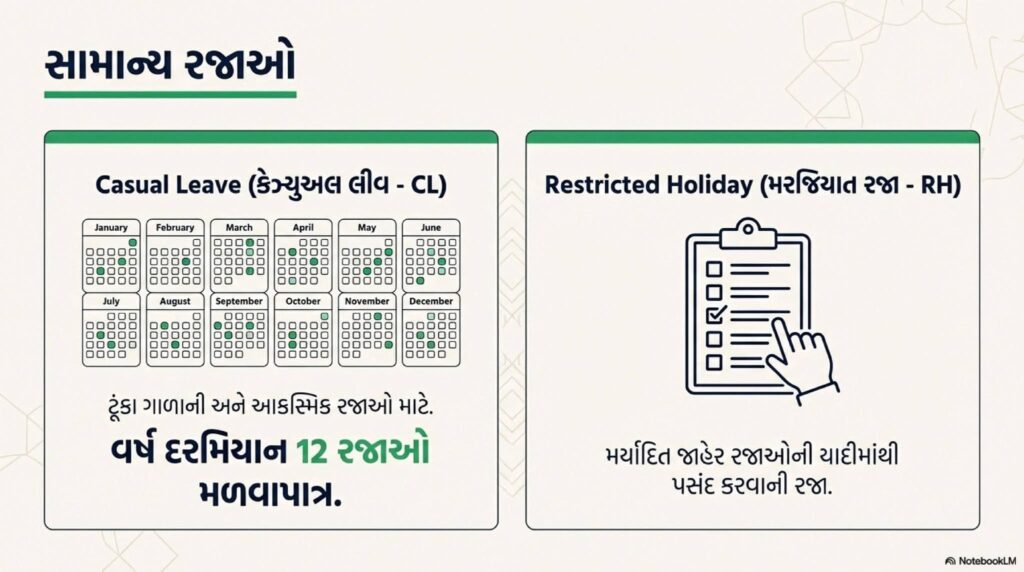
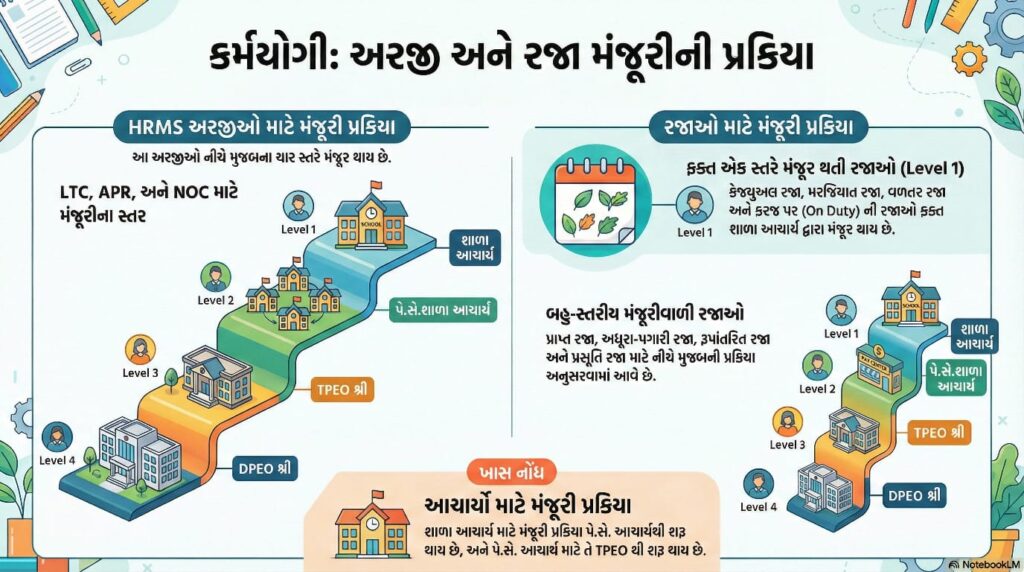
કર્મયોગી માં રજા કેવી રીતે મંજુર કરવી તેની માહિતિ
Step by સ્ટેપ image 👍

Through online training modules, courses, and digital learning resources, Karmayogi helps individuals improve their knowledge, communication skills, work management, leadership abilities, and decision-making power. It promotes continuous learning and encourages employees to perform their duties with dedication, honesty, and efficiency.

FLN ૩ થી ૮: વાંચન-લેખન-ગણન મિશન — સંપૂર્ણ માર્ગદર્શન૩ થી ૮: વાંચન-લેખન-ગણન મિશન — સંપૂર્ણ માર્ગદર્શન

Std 7 english satr 2 Learning Outcomes@ayojan pdf downlod

🌐 What is Karmyogi?

Karmayogi is an online platform for government employees and aspirants to develop skills, training, and learning modules to improve administrative and service efficiency.

📝 Karmayogi Registration – Required Documents

Keep these documents ready before registration:

🌍 Official Website Link

Open this site in your browser:

🔗 https://www.igotp.gov.in
or
🔗 https://karmayogi.gov.in

(Use any one, both are official portals.)

✅ How to Register (Step-by-Step)

Open the website gujrat

https://karmyogi.gujarat.gov.in

Click “Sign Up” or “Register”

elect your Category:

Government Employee: Teacher /Other Candidate

  1. Fill the Registration Form:
  2. Name
  3. Mobile Number
  4. Email ID
  5. District / Department
  6. Password
  7. Verify OTP received on mobile/email.
  8. Login using your username and password.
  9. Now you can Download Courses / Training Certificates.

📥 Karmayogi Registration Form Download (PDF)

After you register →
Go to: Dashboard → Profile → Download Profile PDF
This PDF is your Karmayogi Registration Form ✅

🌟 Benefits of Karmayogi

  • Benefit
  • Description
  • Free Learning
  • All training modules are free
  • Certification
  • Get certificate after completion
  • Skill Improvement
  • Improves work performance
  • Useful for Promotion

  Nmms Question Paper Answer Key

ALSO READ :: NMMS Best Practis Book Nmms Exam Gujrati pdf Downlod

READ ALSO BEST NOTIFECATION 26 NMMS (National Means-cum-Merit Scholarship) Notification 2025-26

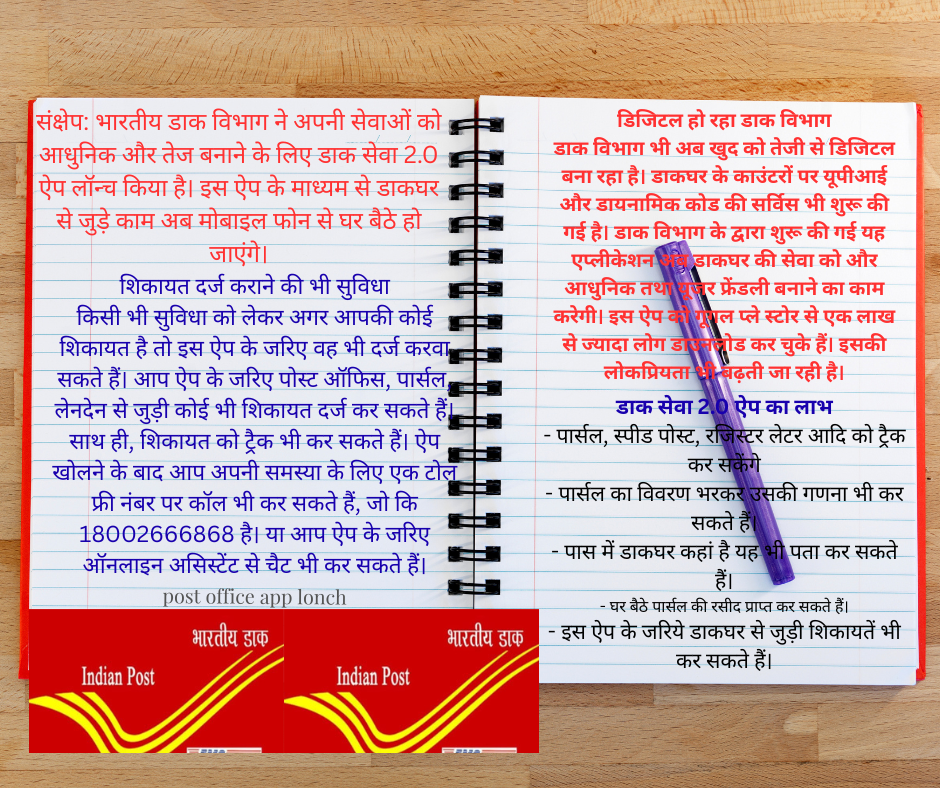
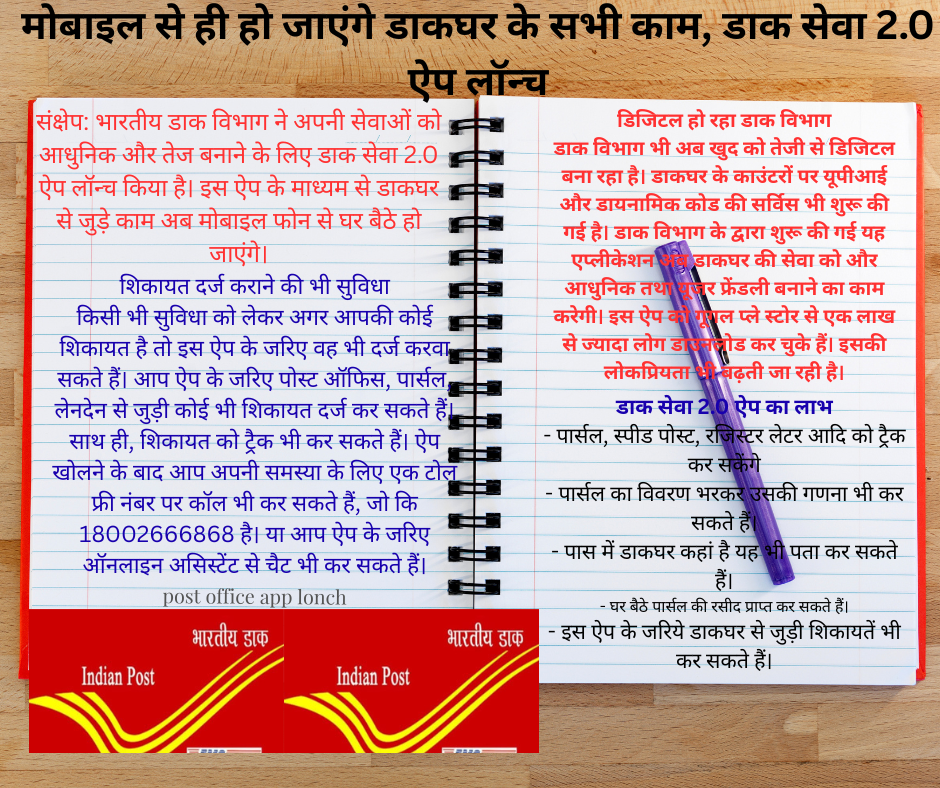
All post office work will be done through mobile, Dak Seva 2.0 app launched

मोबाइल से ही हो जाएंगे डाकघर के सभी काम, डाक सेवा 2.0 ऐप लॉन्च

Summary: The Indian Postal Department has launched the Dak Seva 2.0 app to modernize and speed up its services. This app will allow you to perform postal-related tasks from the comfort of your home using your mobile phone.

The Indian Postal Department has launched the Dak Seva 2.0 app to modernize and speed up its services. This app allows postal work to be done from the comfort of your home using your mobile phone. Android smartphone users can download it from the Google Play Store, and iPhone users can download it from the Apple App Store.

With the Postal Department’s app, you can track your parcels and money orders. You can also use it to calculate postage, book mail, generate e-receipts, and file complaints, among other tasks. The app supports 23 languages, including Hindi, English, Dogri, Gujarati, Marathi, Punjabi, Urdu, Konkani, Maithili, and Bengali. You’ll see a language icon in the right corner of the app. By clicking on it, you can select any language of your choice and make it the app’s default language.

Additionally, the app features a dark mode, making it easier to use at night. You can activate this mode using the first icon in the upper-right corner of the app. A search bar is provided to search for any service. Simply type in the desired search bar and you’ll instantly receive information.

Facility to lodge a complaint

If you have a complaint about any service, you can register it through this app. You can register any complaint related to the post office, parcels, or transactions through the app. You can also track the complaint. After opening the app, you can call a toll-free number to report your problem, 18002666868. Or you can chat with an online assistant through the app.

Postal department going digital

The Postal Department is also rapidly digitizing itself. UPI and dynamic code services have been launched at post office counters. This application, launched by the Postal Department, will further modernize and enhance postal services. More than one lakh people have downloaded this app from the Google Play Store, and its popularity is growing.

Benefits of Dak Seva 2.0 App

  • You can track parcels, speed post, registered letters, etc.
  • You can also count parcels by entering their details.
  • You can also find out where the nearest post office is.
  • You can receive a parcel receipt from the comfort of your home.
  • You can also lodge complaints related to the post office through this app.

  Nmms Question Paper Answer Key

READ ALSO BEST NOTIFECATION 26 NMMS (National Means-cum-Merit Scholarship) Notification 2025-26

ALSO READ :: NMMS Best Practis Book Nmms Exam Gujrati pdf Downlod

Gujarat Government’s mega scheme – assistance of up to ₹25,000 and free laptops for students!

Laptop Sahay Yojana 2025: The laptop purchase assistance scheme run by the Department of Labour, Skill Development and Employment, Government of Gujarat, is to connect students with digital education. This scheme has been renewed and made more comprehensive in 2025.

(Download Voter List Gujarat 2025)

Key details of the laptop purchase assistance scheme

Others:

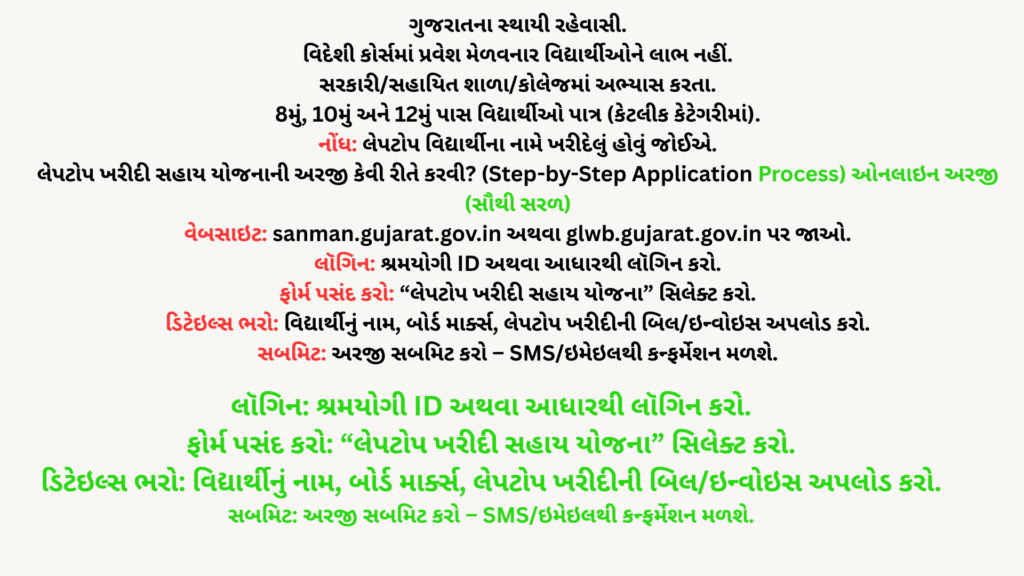
  • Permanent resident of Gujarat.
  • Students admitted to foreign courses will not be eligible.
  • Studying in government/aided school/college.
  • 8th, 10th and 12th pass students are eligible (in some categories).
  • Note: Laptop should be purchased in the name of the student.

How to apply for Laptop Purchase Assistance Scheme? (Step-by-Step Application Process)

Online application (easiest)

Website: Go to sanman.gujarat.gov.in or glwb.gujarat.gov.in.
Login: Login with Shramyogi ID or Aadhaar.
Select Form: Select “Laptop Purchase Assistance Scheme”.
Fill in Details: Student’s Name, Board Marks, Upload Laptop Purchase Bill/Invoice.
Submit: Submit Application – You will get confirmation via SMS/Email.

Offline application

Important Note on Laptop Purchase Assistance Scheme (Important Updates 2025)

Implementation: Online application open from early 2025 – Apply now!
Benefit Disbursement: Amount will be deposited through DBT within 30-45 days after approval.
Problem: If e-KYC has not been done, then link Aadhaar first.
Source: Gujarat Labour Welfare Board.

For more information on the Laptop Purchase Assistance Scheme, click:

Official Portal – Sanman Gujarat
Gujarat Labour Welfare Board
Form PDF Download
[Helpline: 1800-233-5500]

બાલવાટિકા પ્રવેશ અને કેળવણી નિરીક્ષક ની પરીક્ષા ની તૈયારી માટેના અગત્યના પ્રશ્નો

નેશનલ એજ્યુકેશન પોલીસી 2020!! નવી રાષ્ટ્રીય શિક્ષણ નીતિ 2020!! NEP 2020

March 2026
M T W T F S S
 1
2345678
9101112131415
16171819202122
23242526272829
3031  
March 2026
M T W T F S S
 1
2345678
9101112131415
16171819202122
23242526272829
3031  

(Download Voter List Gujarat 2025)

તમારા ગામની લેટેસ્ટ મતદાર યાદી 2002 and 2025 કેવી રીતે ડાઉનલોડ કરશો? (Download Voter List Gujarat 2002 and 2025)

ભારતના દરેક નાગરિક માટે મતદાન કરવું એ બંધનકારક હોવાની સાથે દેશના લોકશાહી પદ્ધતિમાં ભાગ લેવાનો મુખ્ય અધિકાર છે. ગુજરાત રાજ્યમાં દર વર્ષે સ્થાનિક સ્વરાજની ચૂંટણી અથવા વિધાનસભાની ચૂંટણી પહેલાં નવી મતદાર યાદી જાહેર કરવામાં આવે છે.

2002ની મતદારયાદી 👌

નામ સાથે PART WISE ( ભાગ મુજબ) સમગ્ર ગુજરાત ના દરેક બુથ ની 2002 ની મતદાર યાદી ડાઉનલોડ કરી શકો છો…

  1. 2002 ની મતદાર યાદી ની લિંક ક્લિક કરો
  2. જે તે જિલ્લો ક્લિક કરો
  3. જે તે એસેમ્બલી ક્લિક કરો
  4. જે તે બુથ 2002 નું ક્લિક કરો
  5. મતદાર યાદી ડાઉનલોડ કરો

જો તમે તમારા ગામની તાજી મતદાર યાદી 2025 ડાઉનલોડ કરવા માગતા હોવ, તો ગુજરાત સરકારની નીચેની અધિકૃત વેબસાઈટ દ્વારા સરળતાથી PDF ફોર્મેટમાં સૂચિ મેળવી શકો છો.

Voter List Gujarat 2025, मतदाता सूची डाउनलोड, Gujarat Voter List PDF, મતદાર યાદી ડાઉનલોડ કરો, SEC Gujarat Voter List

✅ કેમ જરૂરી છે મતદાર યાદી ચકાસવી?

  • ➤ તમારું નામ યાદીમાં છે કે નહીં એ ચકાસવું.
  • ➤ પરિવારમાં નવા ઉમેરાયેલા સભ્યોનું નામ ચકાસવું.
  • ➤ શિફ્ટ થઈ ગયા હોય તો નામ બદલાવ કરાવવો.
  • ➤ મતદાર ઓળખપત્ર માટે ફોર્મ 6 ભરવા પહેલા ચકાસણી.

🖥 તમારા ગામની મતદાર યાદી કેવી રીતે ડાઉનલોડ કરશો? – સ્ટેપ બાય સ્ટેપ માર્ગદર્શન

2002 મતદાર યાદી PDFમાં ડાઉનલોડ કરવા માટે

https://voters.eci.gov.in/

2002ની મતદારયાદીમાં મતદારનું નામ શોધવા માટે

https://erms.gujarat.gov.in/Search/SearchElectorDB.aspx

2002ની યાદીમાં એડ્રેસ(વિસ્તાર) પરથી વિભાગ શોધવા માટે

https://erms.gujarat.gov.in/Search/SearchSections.aspx

⬇ સત્તાવાર લિંક:

🔗 http://secsearch.gujarat.gov.in/search/PhotoRoll.aspx

  1. વેબસાઈટ પર જાઓ
    SEC Gujarat Voter List Portal ની ઓફિશિયલ વેબસાઈટ પર વિઝિટ કરો.
  2. તમારી જિલ્લાની પસંદગી કરો
    Dropdown માંથી તમારું જિલ્લો પસંદ કરો.
  3. તાલુકો અને ગામ પસંદ કરો
    પછી તમારો તાલુકો અને ગામ અથવા વોર્ડ પસંદ કરો.
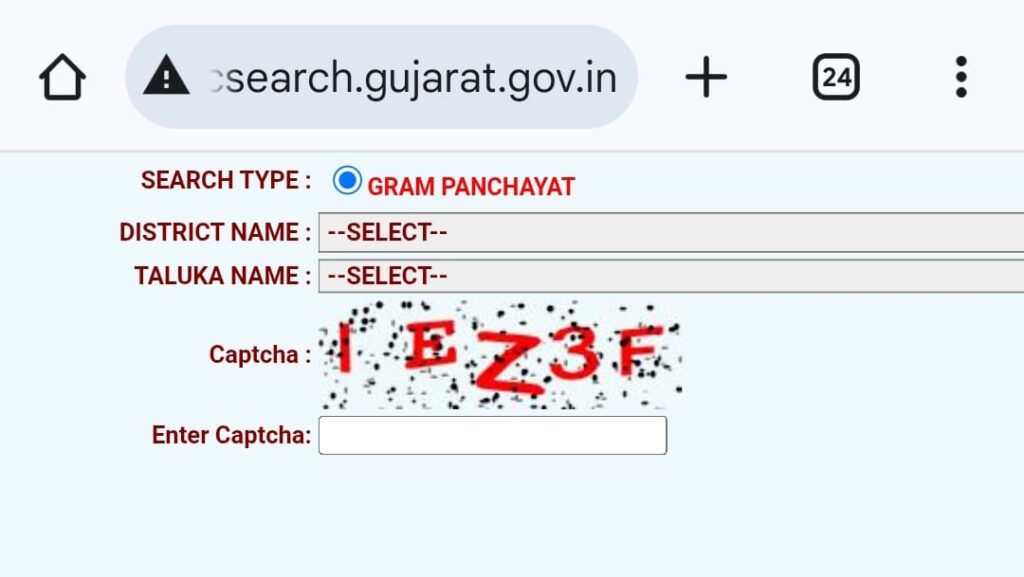
  4. લખાણ કેપ્ચા ભરો
    ભરેલી માહિતીની ખાતરી કર્યા પછી “Show” બટન પર ક્લિક કરો.
  5. PDF લિસ્ટ ડાઉનલોડ કરો
    તમારા ગામ/વોર્ડની મતદાર યાદીની પીડીએફ લિસ્ટ ખુલશે. તેમાં “Download” વિકલ્પ અથવા Show વિકલ્પ હોય છે – તેના પર ક્લિક કરીને PDF તમારા મોબાઈલ કે કમ્પ્યુટરમાં સાચવી લો.

તમારા ગામની મતદાર યાદી વોર્ડ મુજબ ડાઉનલોડ કરો. Ward Wise Voter List

⬇ સત્તાવાર લિંક:

🔗 http://secsearch.gujarat.gov.in/search/PhotoRoll.aspx

📌 તમારા માટે ફાયદાકારક Tips:

  • ✔ દર નવા વિધાસભા કે પંચાયત ચુટણી પહેલા યાદી ચકાસો
  • ✔ તમારું નામ ગુમ છે તો Turant Form 6 ભરો
  • ✔ મતદાર ઓળખપત્રના બિનજરૂરી ફેરફારો માટે e-EPIC પણ ડાઉનલોડ કરો
  • ✔ ઓનલાઈન સર્વિસમાં સમય બચાવો અને તમારું ડિજિટલ મતદાર નોંધણી ભરો

🔒 સુરક્ષા અને અધિકાર

યાદ રાખો, મતદાર યાદી એ જાહેર દસ્તાવેજ છે, પણ તેનો ઉપયોગ માત્ર ચુંટણી સંબંધિત માહિતી માટે કરવો જોઈએ. વ્યક્તિગત માહિતીનો દુરુપયોગ ન કરો.

📥 અંતિમ શબ્દ:
તમે તમારા ગામની Photo Voter List Gujarat 2025 PDF ડાઉનલોડ કરવા માંગતા હોવ તો આજે જ ઉપર આપેલી લિંક પરથી પ્રોસેસ ફોલો કરો. કોઈ પણ પ્રશ્ન માટે તમારા નજીકના ERO (Election Registration Officer) અથવા શાખા કચેરીનો સંપર્ક કરો.

👉 સત્તાવાર લિંક ફરીથી અહીં છે:

🌐 http://secsearch.gujarat.gov.in/search/PhotoRoll.aspx

📣 મિત્રો સાથે આ માહિતી જરૂર શેર કરો, જેથી દરેકને પોતાનું મતાધિકાર યોગ્ય રીતે મળી શકે.

VoterListGujarat2025 #મતદારયાદી #DownloadVoterList #ElectionCommissionGujarat #GujaratVoterList

નેશનલ એજ્યુકેશન પોલીસી 2020!! નવી રાષ્ટ્રીય શિક્ષણ નીતિ 2020!! NEP 2020

RTI 2005 /કલમ લિસ્ટ જાણી લો RTI ની કલમ કેટલી છે? Know the list of clauses How much is the clause of RTI?

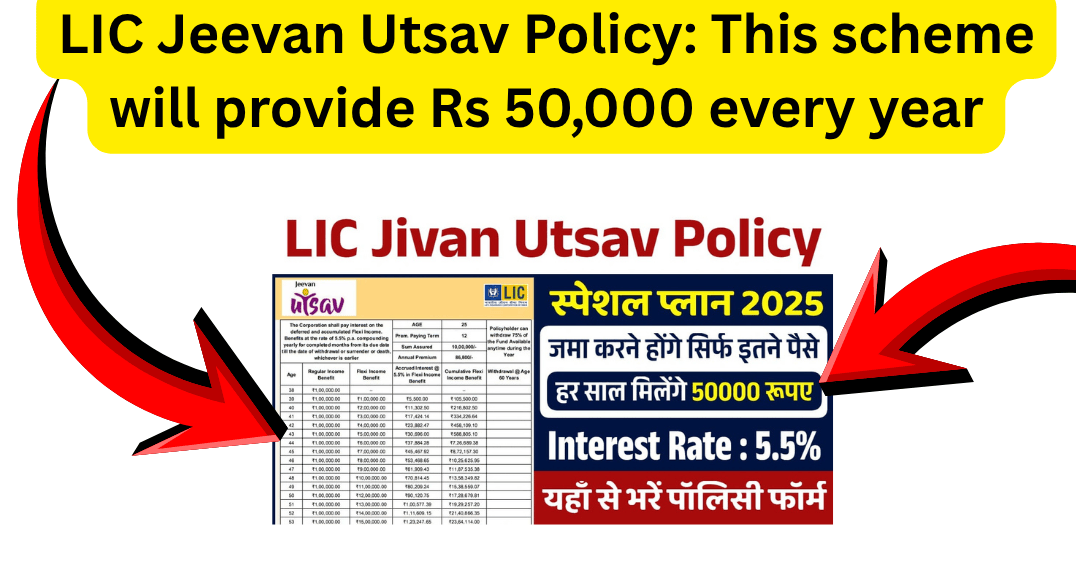
LIC Jeevan Utsav Policy: This scheme will provide Rs 50,000 every year

LIC Jeevan Utsav Policy: This scheme will provide Rs 50,000 every year

Life Insurance Corporation of India has currently issued different types of insurance policies from which citizens can choose any policy as per their wish and invest in them. Many citizens have also invested in the Jeevan Utsav policy launched by Life Insurance Corporation of India because this policy provides risk coverage along with lifelong income.

For those currently considering an insurance plan, LIC’s Jeevan Utsav plan could be a good option. Everyone should familiarize themselves with the details of this plan and then compare it with other policies. This plan is a special plan under the Life Insurance Corporation of India, launched in November 2023.

LIC Jeevan Utsav Policy

Currently, the country’s largest insurance company is the Life Insurance Company of India, which has millions of people associated with it. Therefore, other citizens can invest in LIC’s Jeevan Utsav policy without worry and receive guaranteed returns. This policy also has several unique features.

If the Jeevan Utsav policy is selected and premium payments begin, the policyholder will receive the sum assured for a long period of time. However, if the policyholder dies due to any reason, the nominee will receive the sum assured. Choosing this policy plan can protect both themselves and their families.

LIC Jivan Utsav 2025 Overview

👁 આ પણ વાંચોALSO READ ::: FLN ALL INFORMATION PEPAR MATRIYAL

નેશનલ એજ્યુકેશન પોલીસી 2020!! નવી રાષ્ટ્રીય શિક્ષણ નીતિ 2020!! NEP 2020

RTI 2005 /કલમ લિસ્ટ જાણી લો RTI ની કલમ કેટલી છે? Know the list of clauses How much is the clause of RTI?

➡ સૈનિક સ્કૂલમાં પ્રવેશ ભરતી ની તારીખ લંબાવવામાં આવી છે ➡☝

Sainik School Registration 2026: New registrations for Sainik School 6th, 9th begin

બાલવાટિકા પ્રવેશ અને કેળવણી નિરીક્ષક ની પરીક્ષા ની તૈયારી માટેના અગત્યના પ્રશ્નો

💥Department Name: Life Insurance Corporation of India

💥Article Name: LIC Jeevan Utsav Policy

💥Plan Launch Date: November 2023

💥Loan Facility Available After Two Full Years of Premium Payment

💥Minimum Basic Sum Assured: ₹5 Lakh

💥Coverage: Lifelong Risk Coverage Until Death of the Life Assured

💥Maturity Benefit: Whole Life Plan, Death Benefit Payment

💥Application Process: Offline

💥Category: Latest News

💥Official Website: https://licindia.in/

Features of LIC Jeevan Utsav Policy

  1. The premium for the LIC Jeevan Utsav policy can be paid in 5 years, 10 years, 15 years, or 20 years, as per your convenience.
  2. The policyholder is also provided with a loan facility, allowing them to take out a loan if needed.
  3. LIC also declares a bonus every year, and this policy also pays a bonus.
  4. This policy provides coverage up to the age of 100.
  5. Under this policy, citizens can receive income either monthly or annually.
  6. Eligibility Criteria for the LIC Jeevan Utsav Policy
  7. The age for this policy must be less than 65 years.
  8. There must be sufficient funds to pay the premium amount.
  9. The citizen must accept the rules and regulations for the LIC Jeevan Utsav policy.
  10. All citizens should also obtain information about the eligibility criteria from their nearest LIC office.

Big benefit of LIC Jeevan Utsav policy

Documents Required for LIC Jeevan Utsav Policy

  • Aadhaar Card
  • PAN Card
  • Bank Account Passbook
  • Passport Size Photo
  • Birth Certificate
  • Mobile Number

How to get LIC Jeevan Utsav policy?

👉First, go to the nearest LIC office and contact the nearest LIC agent.
👉After this, get detailed information about the Jeevan Utsav policy.
👉After knowing all the details, get the form and enter the complete information one by one.
👉Then attach photocopies of your Aadhaar card, PAN card, and all other documents to the form.
👉Sign it as well, and if asked for a photo, affix it in the correct place.
👉Now submit the form and then pay the premium amount.
👉After doing this, make sure to get a receipt and keep it safe with you.

FAQ

  • LIC has different best policies and one of them is LIC Jeevan Utsav Policy
  • Complete information about this policy can be easily obtained through the official portal. Apart from this, you can also get information from the nearest LIC office.
  • Many citizens have invested money and you can also think about it, however, first know all the terms and conditions.

➡ વિદ્યા સહાયક તરીકે નવી નોકરી મળે ત્યારે શાળામાં આપવાની થતી માહિતી અને તેના ફોર્મ અહીંયા આપવામાં આવેલા છે. જે તમામ શિક્ષકોની ઉપયોગી થઈ પડશે.